


01
QA
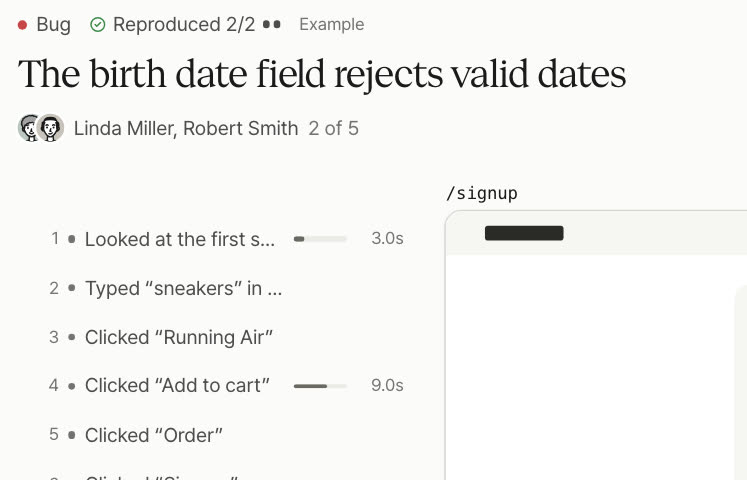
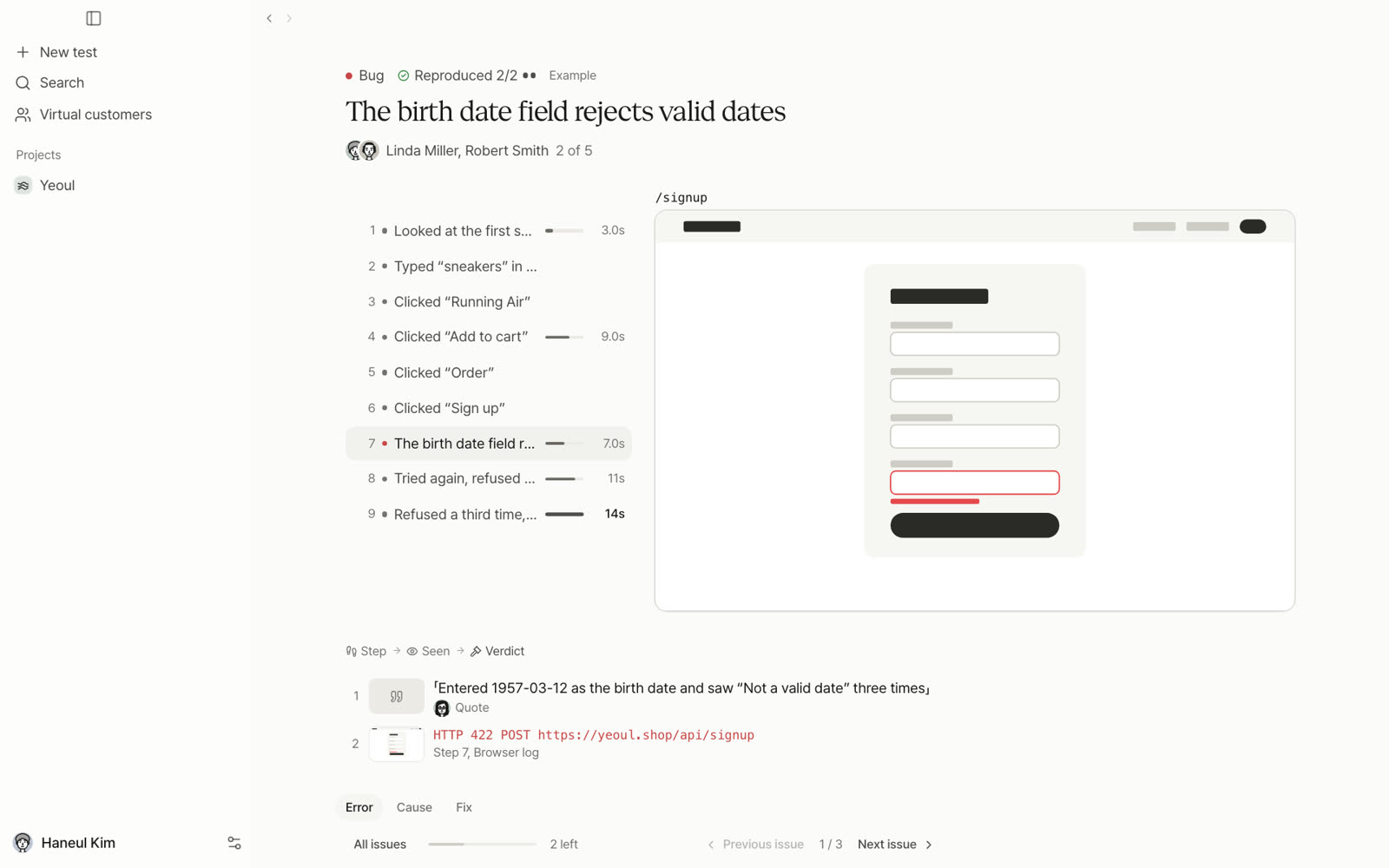
Errors behind the screen, failed requests and buttons that do nothing, kept with the steps and the screen at that moment. Only what happens twice is a bug.
Give it a URL and a goal. Virtual customers try your app and find what breaks and where people get stuck.
Your coding agent calls in the virtual customers
Today, QA means clicking through it yourself.
Prefly is a desktop app where virtual customers go first.
Virtual customers
Hover over one
How it works
Plan, run, results, one issue. Every test ends in this order.
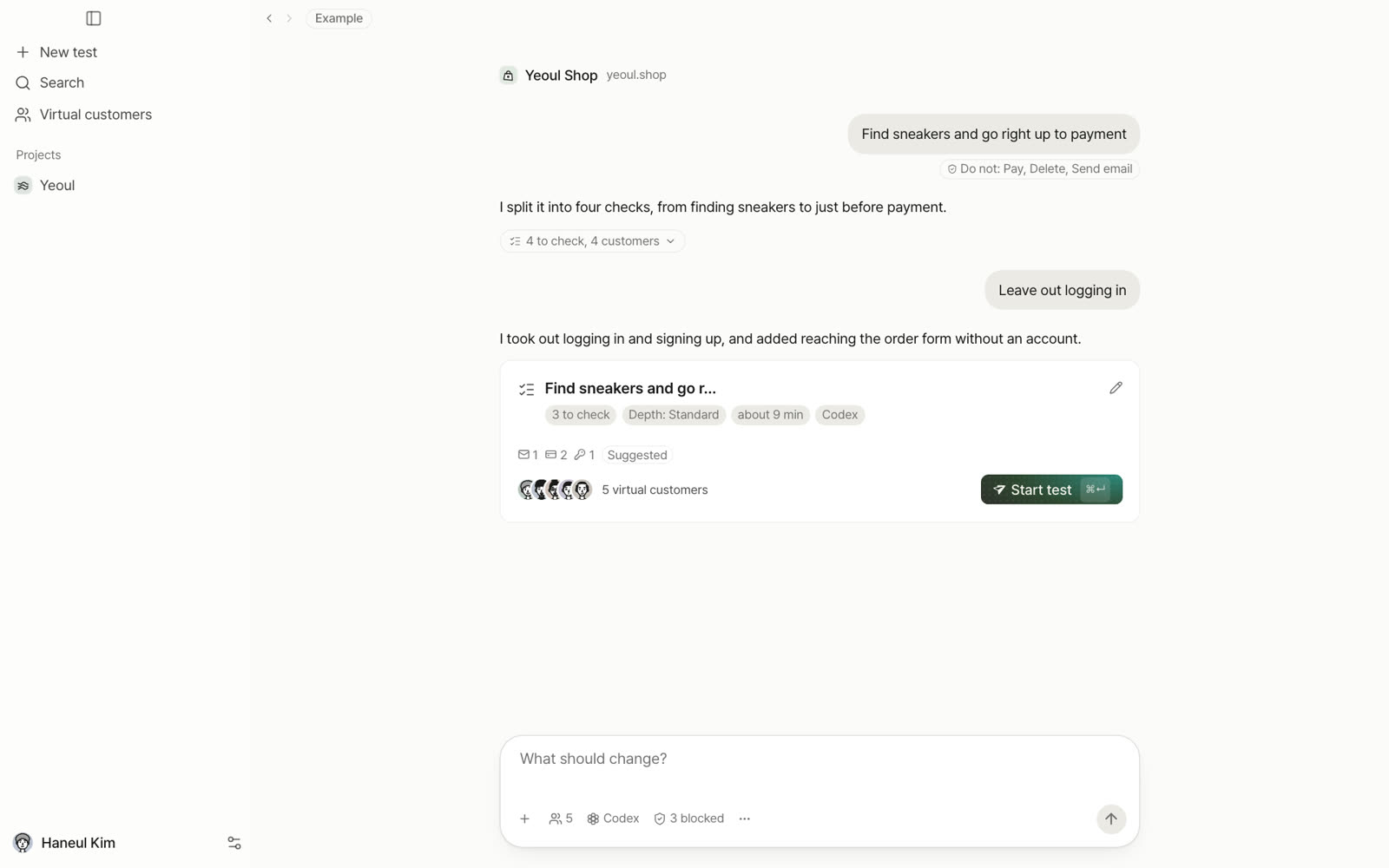
What to check, which customers, how deep and what not to do (pay, delete, send email) on one card. Change it in plain words, then press Start test.
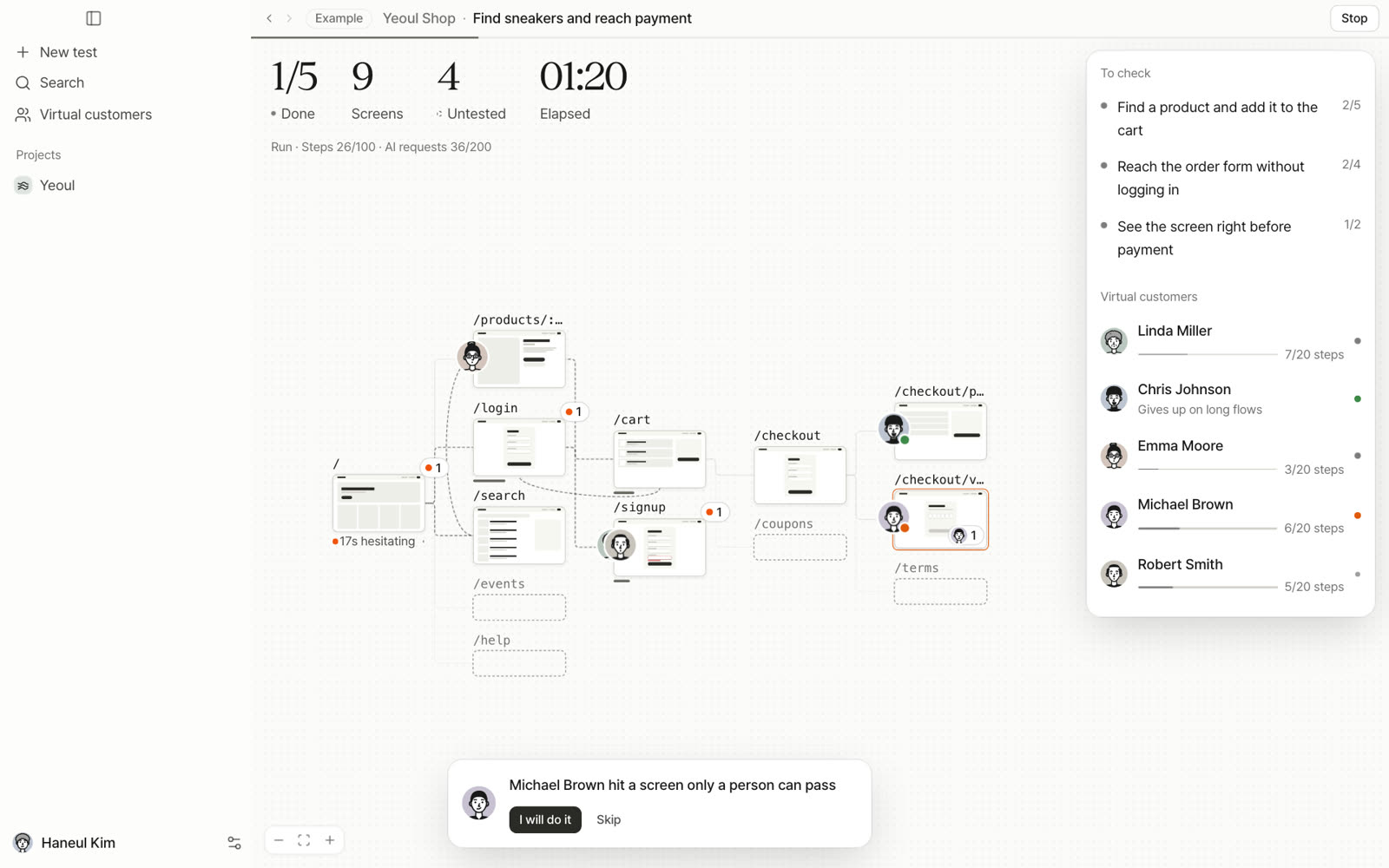
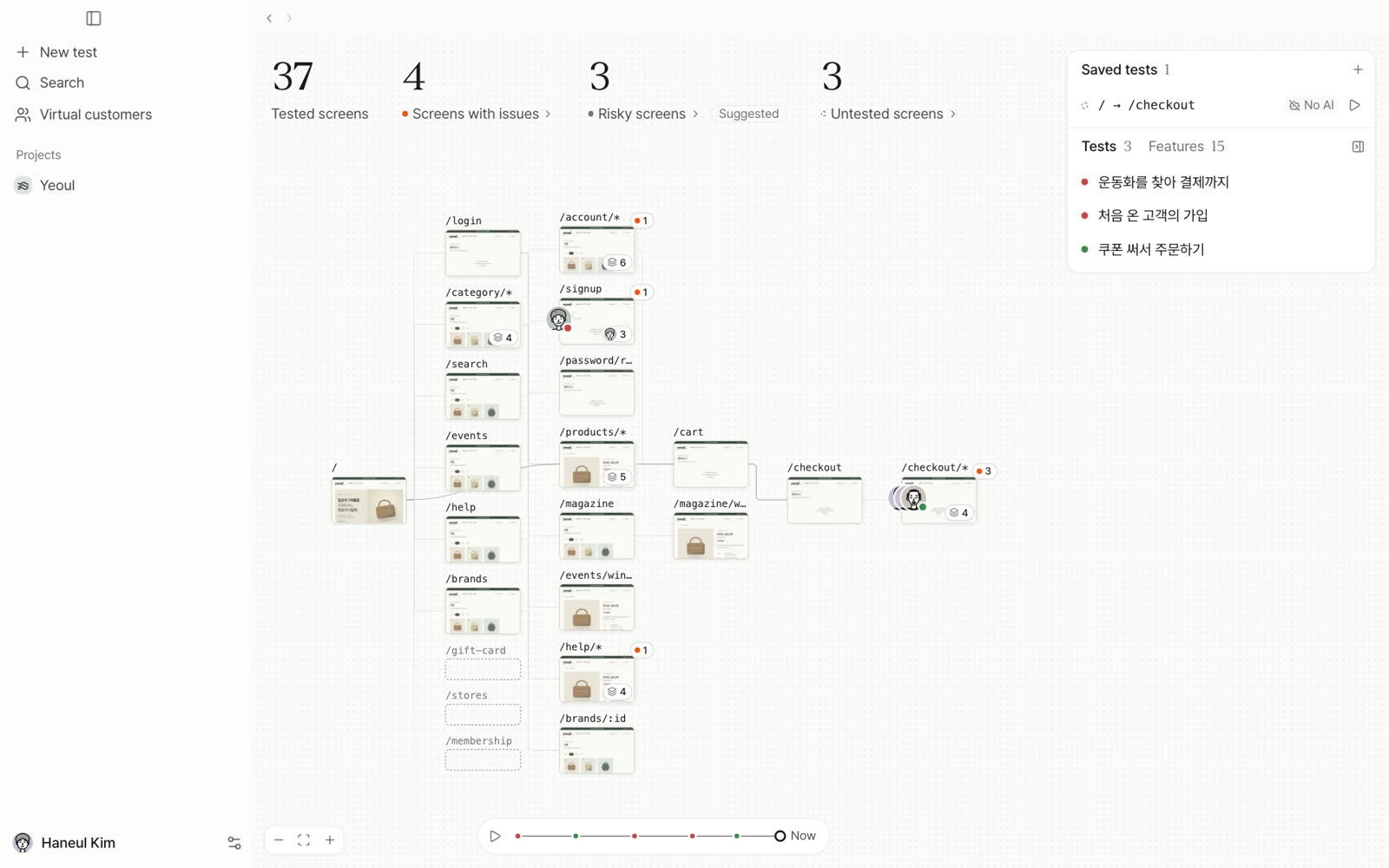
Each screen becomes a card and the customers’ faces move across them. At screens only a person can pass, like identity checks, they stop and ask.
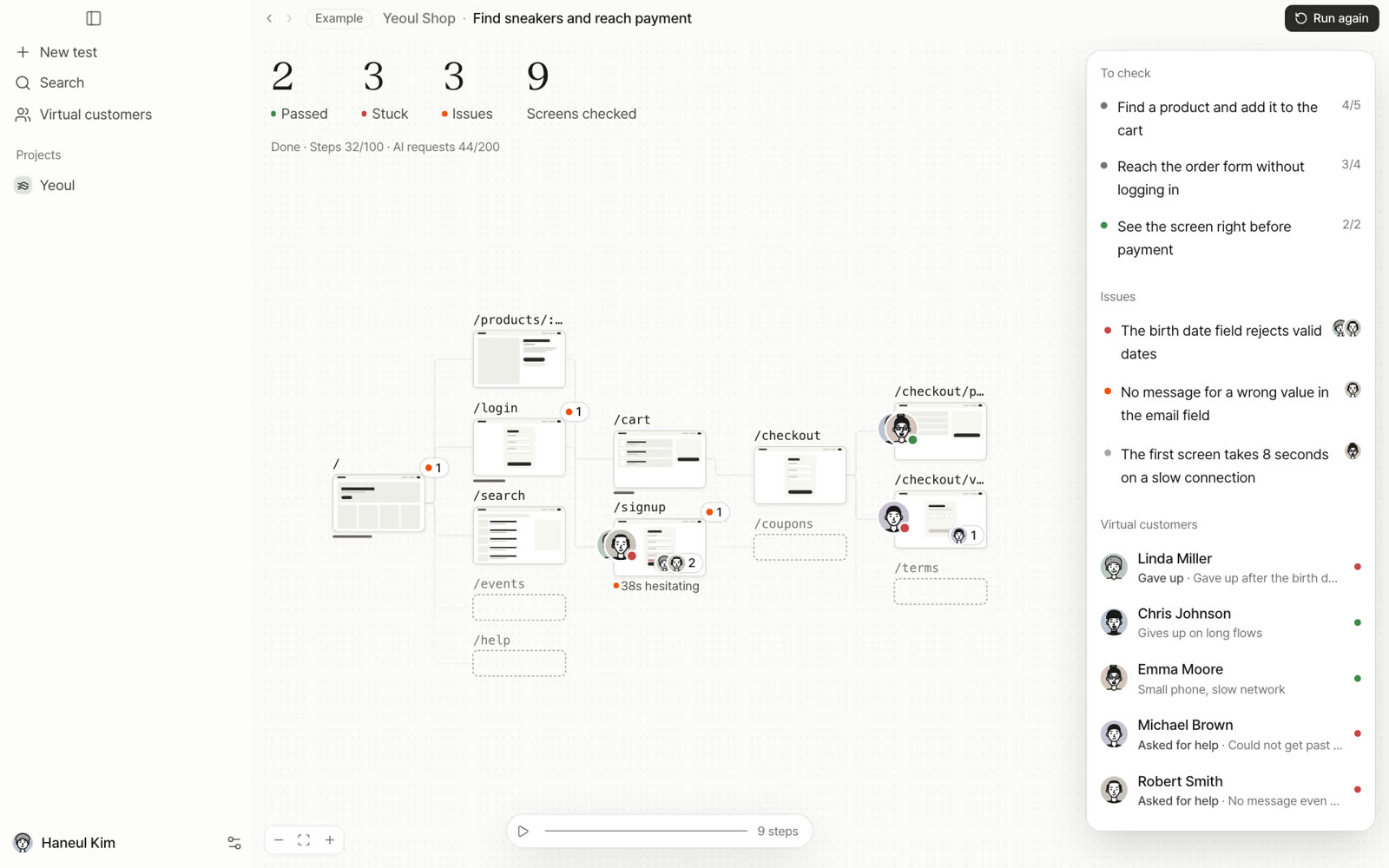
See how many customers finished each check, and the map keeps where each one stopped.
Steps, the screen at that moment and the browser log in one bundle. Only issues that happen again on a rerun become bugs, and you can send them straight to Claude Code.
Keep a passing path as a saved test. After a fix, the same actions run again without a model.
Use cases
Move your mouse over a card
Errors behind the screen, failed requests and buttons that do nothing, kept with the steps and the screen at that moment. Only what happens twice is a bug.
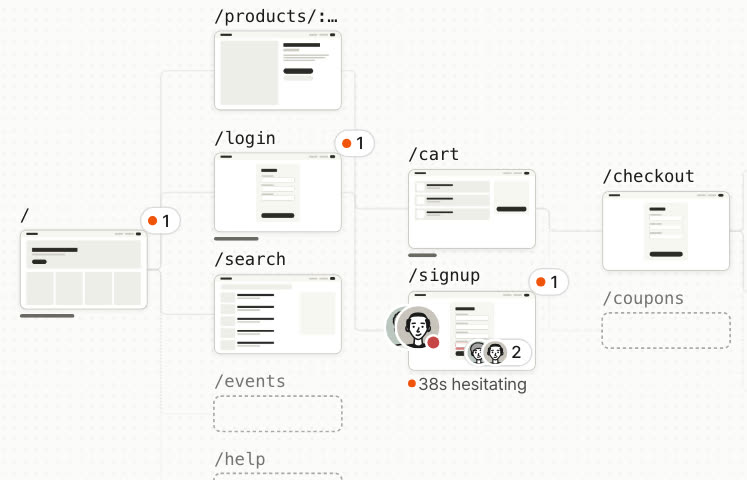
It works, but customers stop. The map shows who hesitated on which screen and for how long.
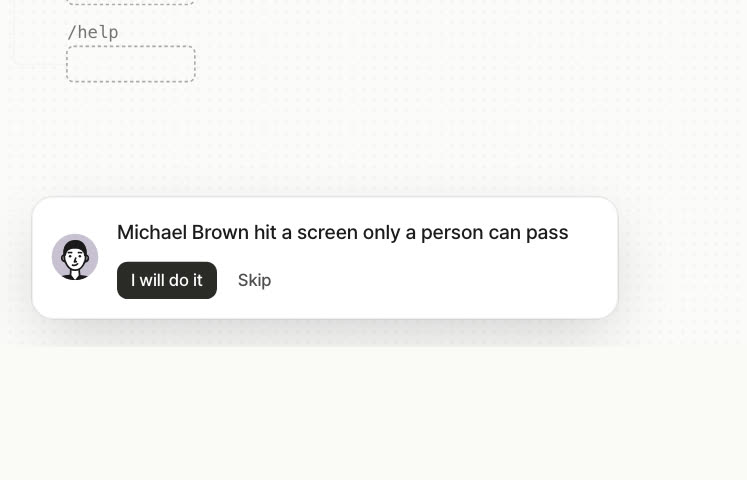
At identity checks and CAPTCHAs it stops and hands over to a person. It never bypasses them.
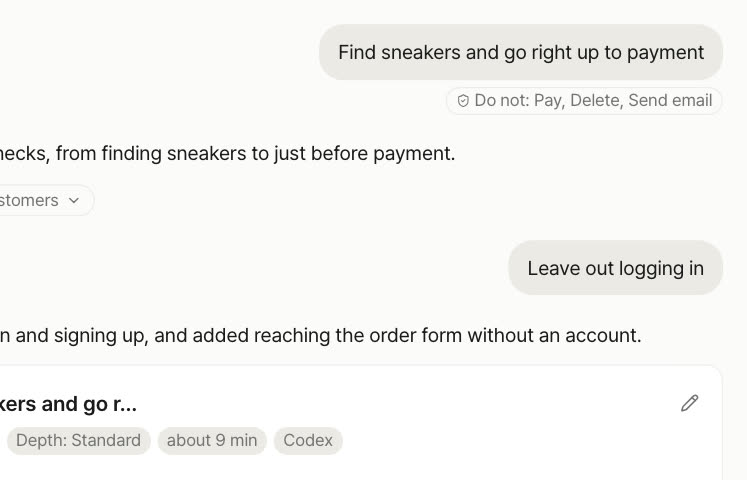
Paying, deleting and sending email are off by default. It goes all the way only with test accounts you add.
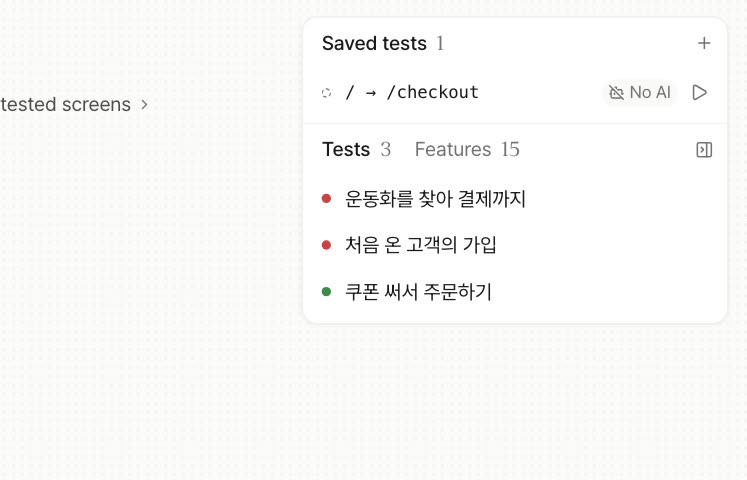
Save a passing path, then rerun it without a model after a fix to see right away whether the stuck spot is gone.
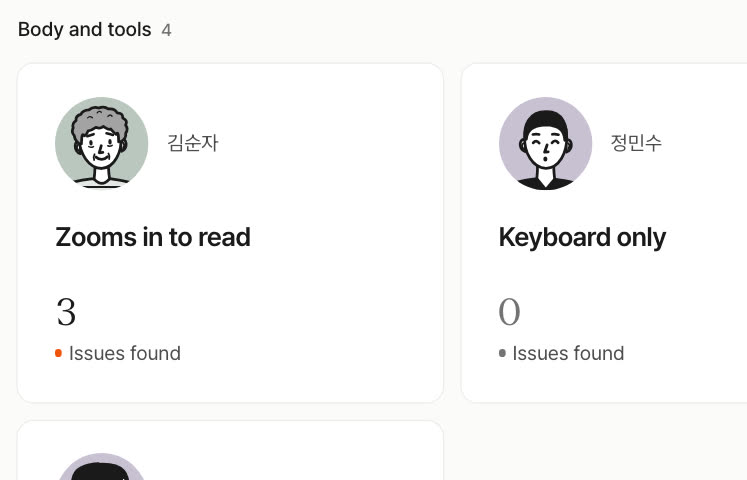
Use it with the exact settings of someone at 200% zoom, someone on the keyboard only, or someone who can’t tell red from green.
Compare
What each approach does out of the box, side by side.
| What you get | Prefly | Clicking aroundManual QA | Test scriptsPlaywright etc. | Usability studiesRecruited panels | Cloud AI testingRemote browsers |
|---|---|---|---|---|---|
| Works on unreleased screens | – | – | |||
| No scripts to write | – | ||||
| Survives screen changes | – | ||||
| Many customers with different settings at once | – | – | – | ||
| Reports only reproduced issues | – | – | – | ||
| Reruns without a model | – | – | – | ||
| Hands off to a coding agent | – | – | – | ||
| Records stay on your computer | – | – |
FAQ
A desktop app where virtual customers try your product before launch. Give it a URL and one goal; it makes a plan card, the virtual customers use your app in a real browser at the same time, and you get what passed, where they got stuck and what broke.
Let them try it before real customers arrive.