Desktop
Every test now ends on a map
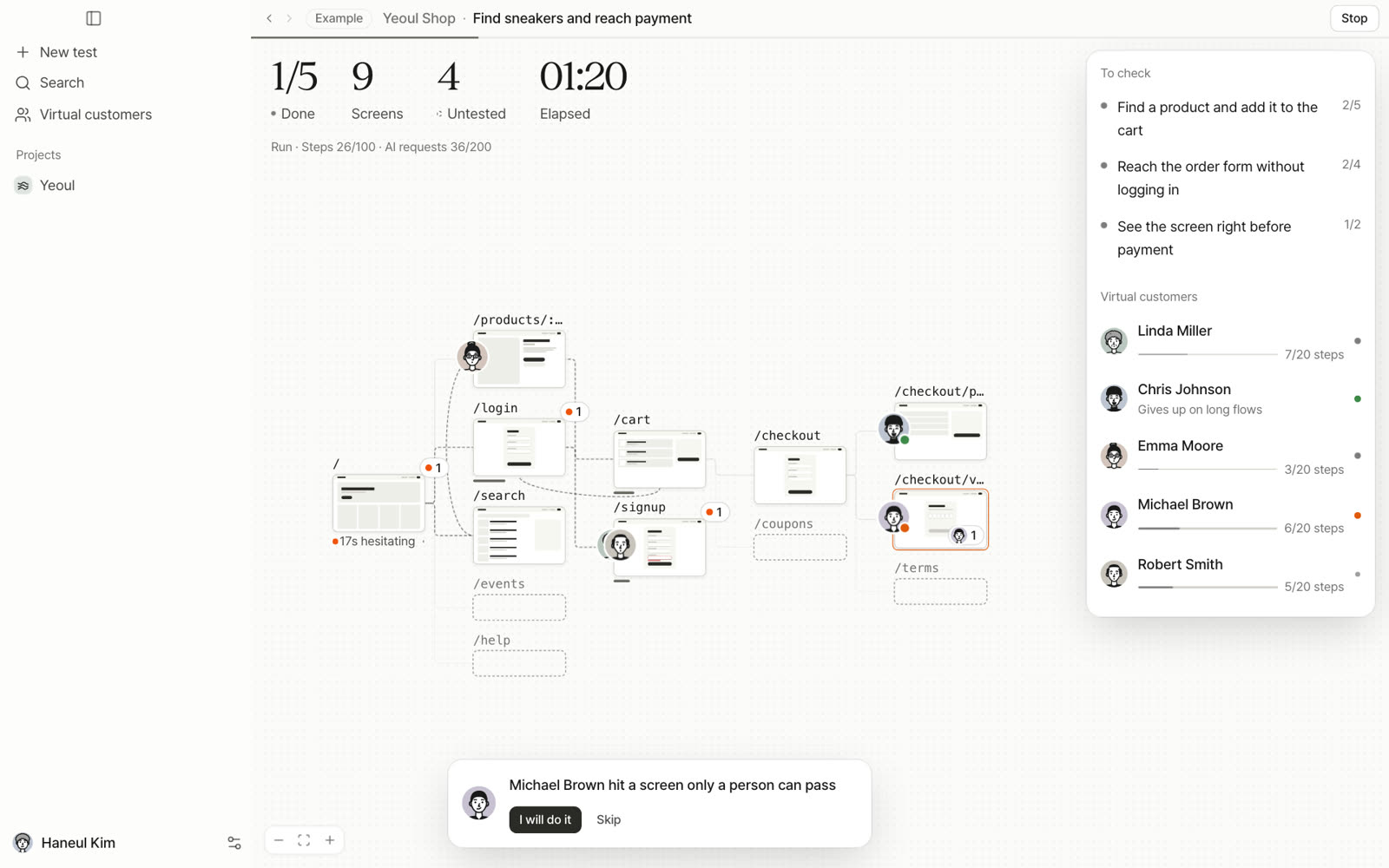
We rebuilt the screens from scratch. Start with a URL and one goal, watch virtual customers move across a map, then pick one issue and fix it.
The Prefly team · 1 min read
A chat is a good way to hand off a test, and a bad way to read the result. The old app ran from plan to run to report like a chat. To know what was checked and what was missed, you had to read to the end. So the default screen is now a map. Every screen a customer reaches becomes a card, and the cards connect like a flowchart. Screens nobody has reached stay dashed, so you can see what was not checked.
- commits
- 350
- commits
- files changed
- 377
- files changed
- decisions
- 21
- decisions
Four steps
- 1One plan cardGive it a URL and a goal and you get what to check, which customers, how deep and what not to do (pay, delete, send email) on one card. Change it in plain words, then press Start test.
- 2Run on the mapCustomer faces move between the cards. At screens only a person can pass, like identity checks, they stop and ask.
- 3ResultsPassed, stuck and problems as numbers, and the map keeps where each customer stopped.
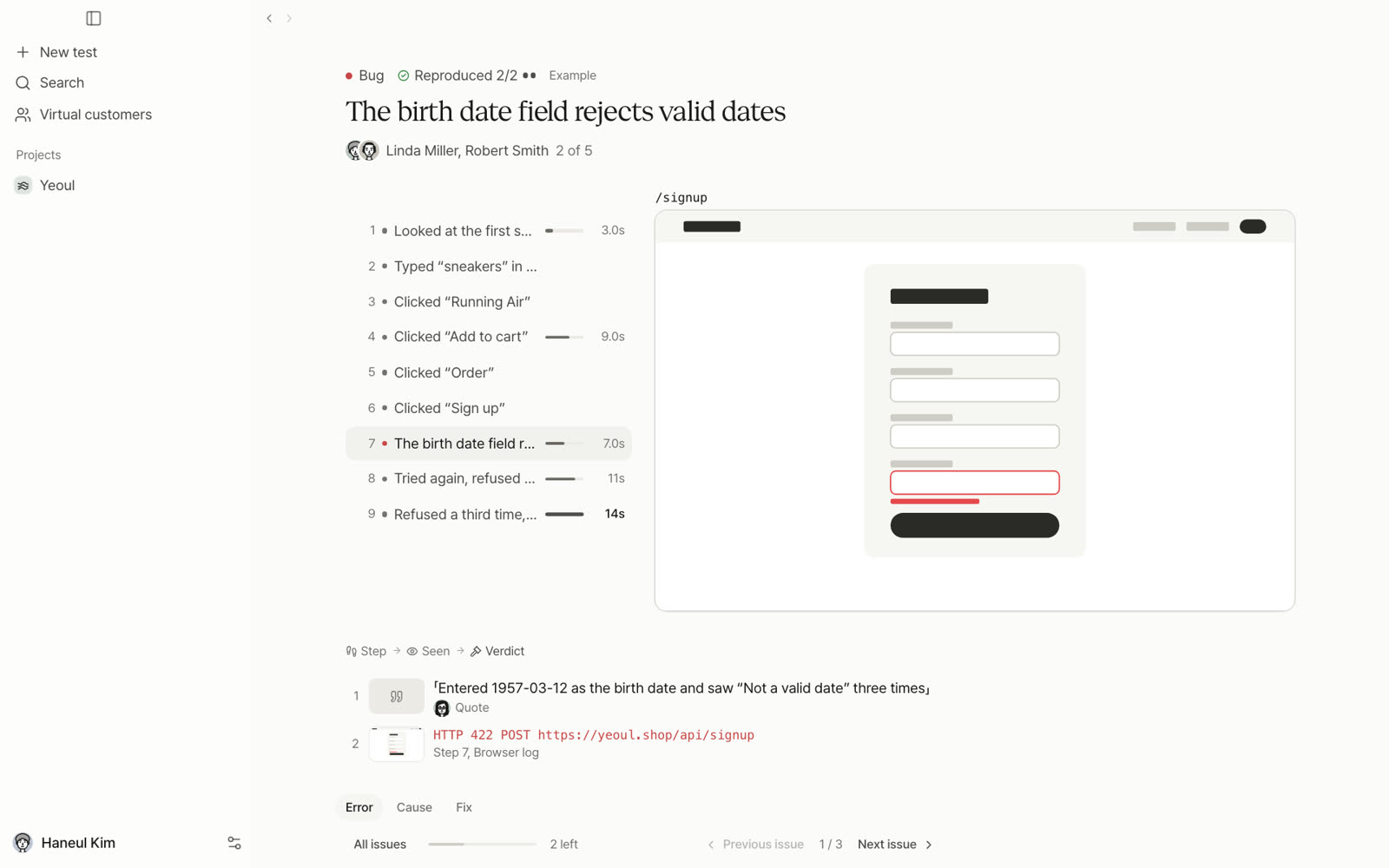
- 4One issueSteps, the screen at that moment and the browser log in one bundle, ready to send to Claude Code.